Connect through ODBC
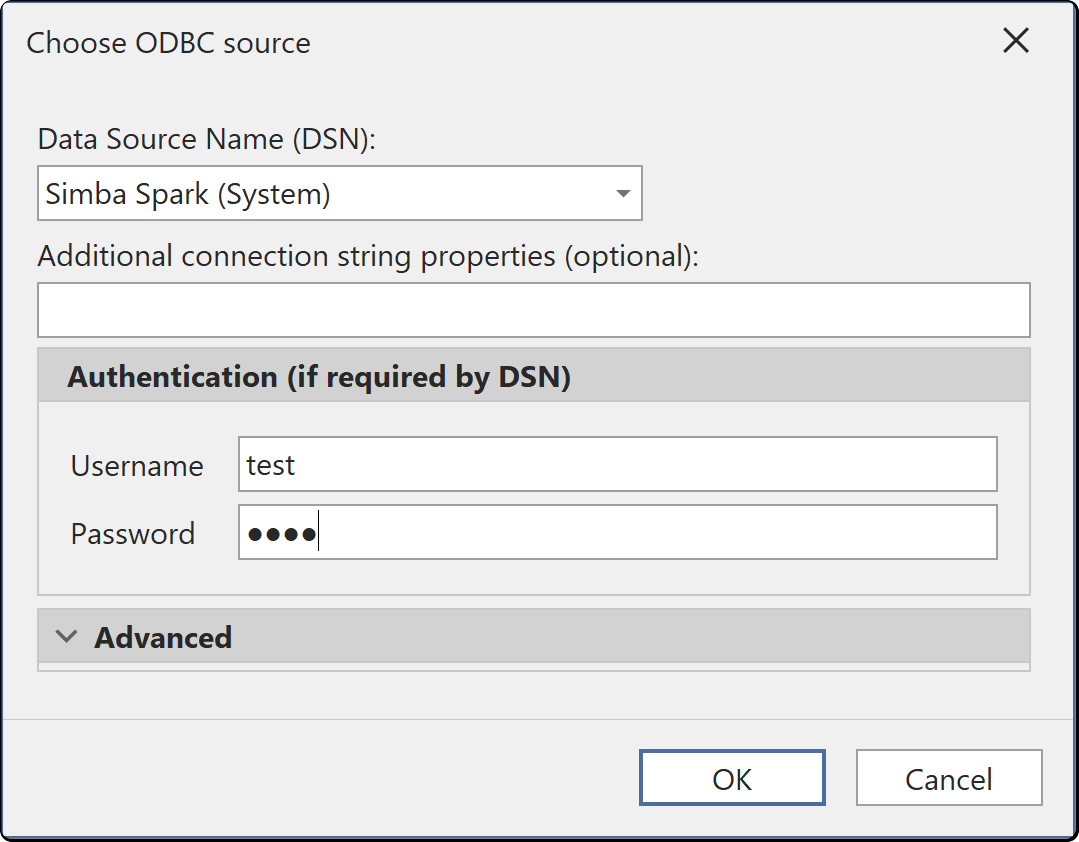
The ODBC connector connects to any source that has an ODBC driver and no dedicated connection dialog in Tabular Editor. For PostgreSQL, MySQL, MariaDB and IBM Db2, Tabular Editor generates database-specific M expressions and identifier quoting. Select Model > Import tables... and choose ODBC to open the dialog.
Prerequisites
- An ODBC driver for the source that matches the architecture of your Tabular Editor build (x64 or ARM64). See Driver architecture.
- A data source name (DSN) for the source, created in the 64-bit ODBC Data Source Administrator.
Important
A DSN exists only on the machine where you create it, and a model that imports through a DSN refreshes only on machines that have a DSN with the same name. If a service account runs the connection, use a System DSN.
Connection fields
| Field | Description |
|---|---|
| Data Source Name (DSN) | A System DSN or User DSN configured on this machine. Required |
| Username and Password | Credentials passed to the driver, if the DSN requires them |
| Additional connection string properties (optional) | Extra connection string settings, passed to the driver unchanged |
| Row reduction clause and Identifier quoting | The SQL syntax Tabular Editor uses to limit preview rows and quote names. Select Detect to read both from the driver |
Authentication
The driver and DSN determine how you sign in:
| Authentication | What you supply | Interactive sign-in |
|---|---|---|
| DSN credentials | Nothing. The DSN carries integrated authentication or stored credentials | No |
| User name and password | Username and Password in the dialog, passed to the driver | No |
Tabular Editor saves the connection settings and credentials in your user options file (see Where credentials are stored).
Driver architecture
Tabular Editor 3 lists only 64-bit DSNs, so a DSN created in the 32-bit ODBC Data Source Administrator doesn't appear. If a DSN is missing, create it in the 64-bit ODBC Data Source Administrator (odbcad32.exe in C:\Windows\System32).
The x64 build loads only x64 ODBC drivers, and the ARM64 build loads only ARM64 ODBC drivers.