Connect to Snowflake
The Snowflake connector connects to Snowflake data warehouses and is available only as an implicit data source (see Legacy, structured and implicit data sources).
Select Model > Import tables... and choose a Snowflake source to open the dialog.
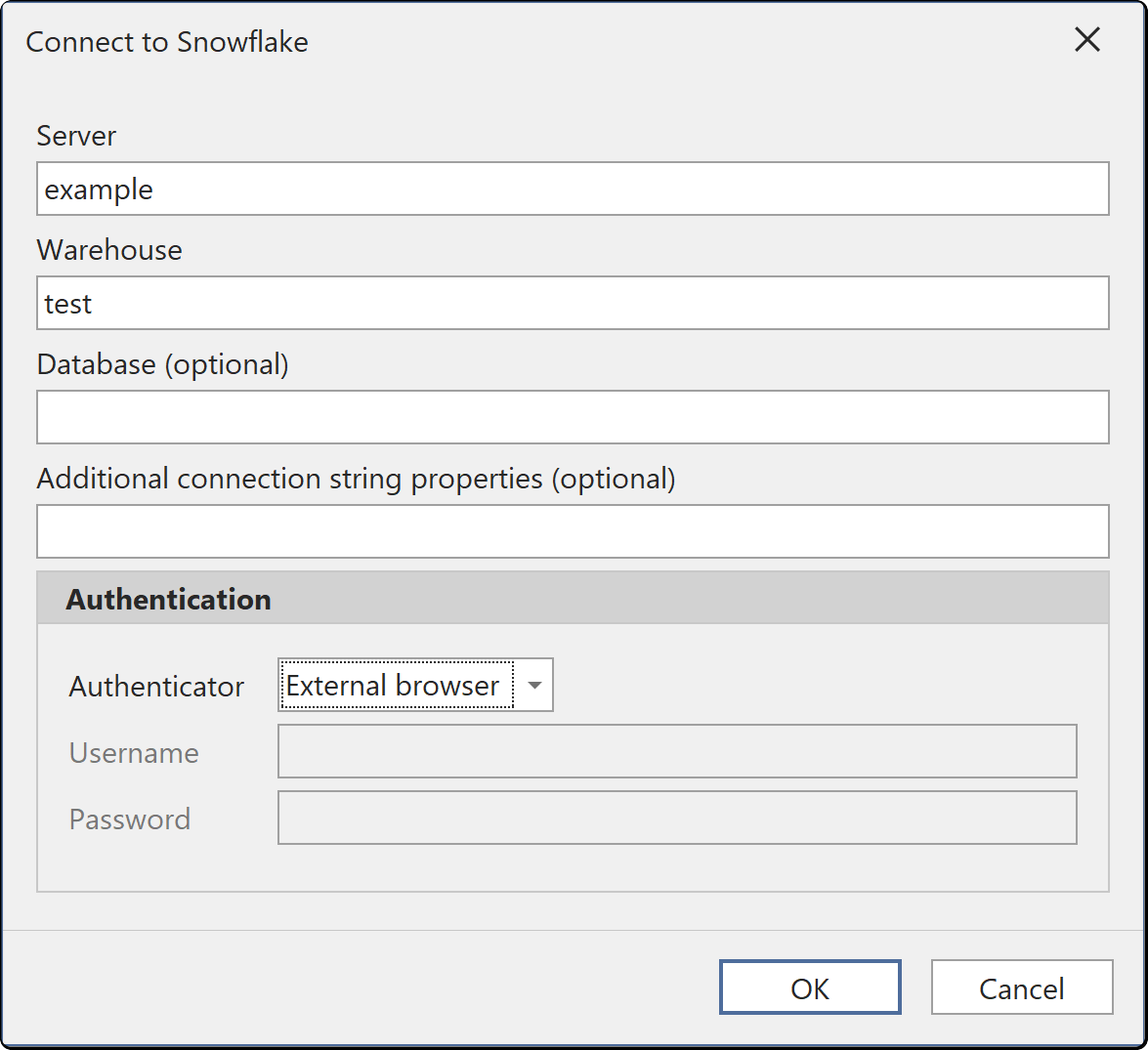
Connection fields
| Field | Description |
|---|---|
| Server | Your Snowflake account URL. Required |
| Warehouse | The warehouse to run queries on. Required |
| Database (optional) | The database to import from |
| Authenticator | The authentication option. See Authentication |
| Username, Password and Private key file | The credentials for the selected authenticator. The labels change with the authenticator |
| Additional connection string properties (optional) | Extra connection string settings |
Authentication
| Authentication | What you supply | Interactive sign-in |
|---|---|---|
| Snowflake | User name and password | No |
| External browser | A browser sign-in against your identity provider | Yes |
| OAuth | An OAuth access token from your OAuth provider, in the Token field. When the token expires, enter a new one | No |
| Key pair | User name and an RSA private key file, plus the key's passphrase if it's encrypted | No |
Tabular Editor saves the connection settings and credentials in your user options file (see Where credentials are stored).
Key pair authentication
Snowflake service users (TYPE = SERVICE) can't sign in with a password, so use Key pair for them. See Planning for the deprecation of single-factor password sign-ins.
- Select Key pair in the Authenticator list. The Password field changes to Passphrase.
- Enter your username.
- Browse to your private key file.
- If the key is encrypted, enter its passphrase.
OK is enabled once Server, Warehouse, Username and Private key file are filled in. The private key file must use one of these formats:
- unencrypted PKCS#1
- unencrypted PKCS#8
- passphrase-encrypted PKCS#8, the format Snowflake's key-pair instructions produce
When you switch between Key pair and another authenticator, the Password or Passphrase field is cleared. Tabular Editor saves the private key file path only while Key pair is selected.
Important
Keys encrypted with the legacy OpenSSL scheme, which begin with -----BEGIN RSA PRIVATE KEY----- and carry Proc-Type and DEK-Info headers, aren't supported. Convert such a key to encrypted PKCS#8:
openssl pkcs8 -topk8 -v2 aes256 -in rsa_key.pem -out rsa_key.p8
Conversion keeps the key pair, and the public key registered on your Snowflake user stays valid.
External browser sign-ins
Tabular Editor caches the browser sign-in. From Tabular Editor 3.27.0, if Snowflake rejects the cached sign-in, for example because your identity provider expired or revoked it, Tabular Editor discards it and opens the browser sign-in again. If you close the browser sign-in or it times out, the operation is canceled.