Duplicate objects and batch renamings
The right-click context menu in the Explorer Tree lets you duplicate measures and columns. The duplicated objects will have their names suffixed by "copy". Furthermore, you can perform batch renames by selecting multiple objects and right-clicking in the Explorer Tree.
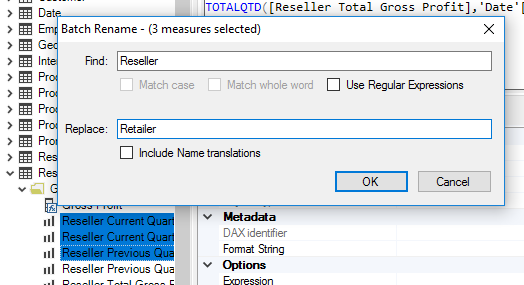
You may use RegEx for your renamings, and optionally choose whether translations should be renamed as well.
A duplicated object keeps whatever error and warning indicators the original carried, so a copy of an object with an invalid expression is marked as invalid straight away.