Contar filas en una tabla
Objetivo del script
Si quieres ver cuántas filas se han cargado en una tabla o comprobar rápidamente si la tabla se ha cargado en absoluto. Este script requiere una conexión a un modelo remoto o una conexión mediante el modo del área de trabajo.
Script
Contar las filas de la tabla seleccionada
// This script counts rows in a selected table and displays the result in a pop-up info box.
// It does not write any changes to this model.
//
// Use this script when you want to check whether a table was loaded or how many rows it has.
//
// Get table name
string _TableName =
    Selected.Table.DaxObjectFullName;

// Count table rows
string _dax =
    "{ FORMAT( COUNTROWS (" + _TableName + "), \"#,##0\" ) }";

// Evaluate DAX
string _TableRows =
    Convert.ToString(EvaluateDax( _dax ));

// Return output in pop-up
Info ( "Number of rows in " + _TableName + ": " + _TableRows);
Explicación
Este fragmento recorre el modelo y cuenta los distintos tipos de objetos, mostrándolos en un formato jerárquico de "nodo y árbol" construido manualmente. Puedes comentar
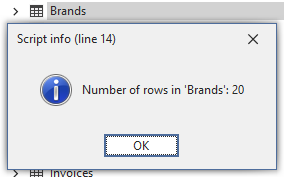
Salida de ejemplo