添加 Databricks 元数据说明
脚本用途
该脚本作为 Tabular Editor x Databricks 系列的一部分编写。在 Unity Catalog 中,可以为表和列提供描述性注释。此脚本可以复用这些信息,自动填充语义模型中的表和列描述。
Note
此脚本需要 Databricks ODBC 驱动程序。我们建议使用新版 Databricks ODBC Driver,以取代旧版 Simba Spark ODBC Driver。脚本会自动检测已安装的驱动程序,并据此使用对应的驱动程序。
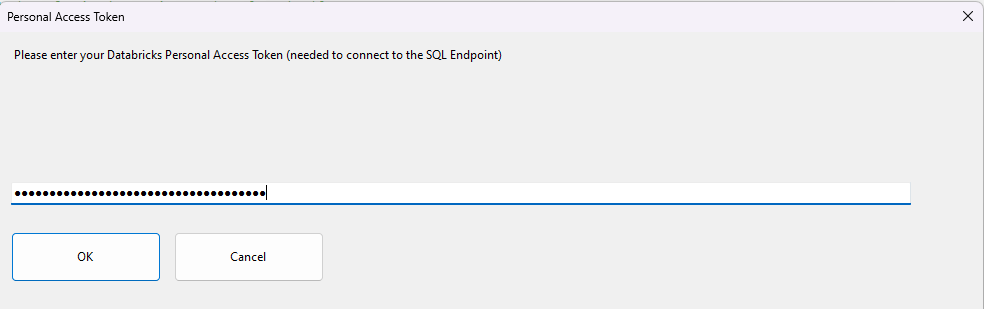
每次运行脚本时,都会提示用户输入 Databricks 个人访问令牌。这是对 Databricks 进行身份验证所必需的。该脚本会使用 Unity Catalog 中的 information_schema 表来检索关系信息,因此您可能需要再与 Databricks 管理员确认一下,确保您有权限查询这些表。
脚本
添加 Databricks 元数据说明
/*
 * Title: Add Databricks Metadata descriptions
 * Author: Johnny Winter, greyskullanalytics.com
 *
 * This script, when executed, will loop through the currently selected tables and send a query to Databricks to see if each table has metadata descriptions defined in Unity Catalog.
 * Where a description exists, this will be added to the semantic model description.
 * Step 1:  Select one or more tables in the model
 * Step 2:  Run this script
 * Step 3:  Enter your Databricks Personal Access Token when prompted
 * Step 4:  The script will connect to Databricks and update the table and column descriptions where they exist.
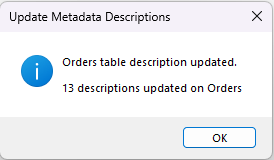
 *          For each table processed, a message box will display the number of descriptions updated.
 *          Click OK to continue to the next table.
 * Notes:
 *  -   This script requires the Databricks ODBC Driver (recommended) or legacy Simba Spark ODBC Driver to be installed (download from https://www.databricks.com/spark/odbc-drivers-download)
 *  -   The script auto-detects which driver is installed
 *  -   Each run of the script will prompt the user for a Databricks Personal Access Token
 */
#r "Microsoft.VisualBasic"
using System;
using System.Data.Odbc;
using System.Drawing;
using System.Text.RegularExpressions;
using System.Windows.Forms;
using Microsoft.VisualBasic;
using sysData = System.Data;

//code to create a masked input box for Databricks PAT token
public partial class PasswordInputForm : Form
{
    public string Password { get; private set; }

    private TextBox passwordTextBox;
    private Button okButton;
    private Button cancelButton;
    private Label promptLabel;

    public PasswordInputForm(string prompt, string title)
    {
        InitializeComponent(prompt, title);
    }

    private void InitializeComponent(string prompt, string title)
    {
        this.Text = title;
        this.Size = new System.Drawing.Size(4000, 1500);
        this.StartPosition = FormStartPosition.WindowsDefaultLocation;
        this.FormBorderStyle = FormBorderStyle.FixedDialog;
        this.MaximizeBox = false;
        this.MinimizeBox = false;

        // Prompt label
        promptLabel = new Label();
        promptLabel.Text = prompt;
        promptLabel.Location = new System.Drawing.Point(12, 15);
        promptLabel.Size = new System.Drawing.Size(360, 40);
        promptLabel.AutoSize = false;
        this.Controls.Add(promptLabel);

        // Password textbox
        passwordTextBox = new TextBox();
        passwordTextBox.Location = new System.Drawing.Point(12, 55);
        passwordTextBox.Size = new System.Drawing.Size(360, 20);
        passwordTextBox.UseSystemPasswordChar = true; // This masks the input
        passwordTextBox.KeyPress += (s, e) =>
        {
            if (e.KeyChar == (char)Keys.Return)
            {
                OkButton_Click(null, null);
                e.Handled = true;
            }
        };
        this.Controls.Add(passwordTextBox);

        // OK button
        okButton = new Button();
        okButton.Text = "OK";
        okButton.Location = new System.Drawing.Point(216, 85);
        okButton.Size = new System.Drawing.Size(150, 50);
        okButton.Click += OkButton_Click;
        this.Controls.Add(okButton);

        // Cancel button
        cancelButton = new Button();
        cancelButton.Text = "Cancel";
        cancelButton.Location = new System.Drawing.Point(297, 85);
        cancelButton.Size = new System.Drawing.Size(150, 50);
        cancelButton.Click += CancelButton_Click;
        this.Controls.Add(cancelButton);

        // Set default and cancel buttons
        this.AcceptButton = okButton;
        this.CancelButton = cancelButton;

        // Focus on textbox when form loads
        this.Load += (s, e) => passwordTextBox.Focus();
    }

    private void OkButton_Click(object sender, EventArgs e)
    {
        Password = passwordTextBox.Text;
        this.DialogResult = DialogResult.OK;
        this.Close();
    }

    private void CancelButton_Click(object sender, EventArgs e)
    {
        Password = string.Empty;
        this.DialogResult = DialogResult.Cancel;
        this.Close();
    }

    public static string ShowDialog(string prompt, string title)
    {
        using (var form = new PasswordInputForm(prompt, title))
        {
            if (form.ShowDialog() == DialogResult.OK)
                return form.Password;
            return string.Empty;
        }
    }
}

public static class MaskedInputHelper
{
    public static string GetMaskedInput(string prompt, string title, string defaultValue = "")
    {
        using (var form = new Form())
        {
            form.Text = title;
            form.Size = new System.Drawing.Size(1000, 500);
            form.StartPosition = FormStartPosition.CenterScreen;
            form.FormBorderStyle = FormBorderStyle.FixedDialog;
            form.MaximizeBox = false;
            form.MinimizeBox = false;

            var label = new Label()
            {
                Left = 12,
                Top = 15,
                Size = new System.Drawing.Size(900, 100),
                Text = prompt,
            };
            var textBox = new TextBox()
            {
                Left = 12,
                Top = 150,
                Size = new System.Drawing.Size(900, 100),
                UseSystemPasswordChar = true,
                Text = defaultValue,
            };
            var buttonOk = new Button()
            {
                Text = "OK",
                Size = new System.Drawing.Size(150, 50),
                Left = 12,
                Width = 150,
                Top = 200,
                DialogResult = DialogResult.OK,
            };
            var buttonCancel = new Button()
            {
                Text = "Cancel",
                Size = new System.Drawing.Size(150, 50),
                Left = 175,
                Width = 150,
                Top = 200,
                DialogResult = DialogResult.Cancel,
            };

            buttonOk.Click += (sender, e) =>
            {
                form.Close();
            };
            form.Controls.Add(label);
            form.Controls.Add(textBox);
            form.Controls.Add(buttonOk);
            form.Controls.Add(buttonCancel);
            form.AcceptButton = buttonOk;
            form.CancelButton = buttonCancel;

            return form.ShowDialog() == DialogResult.OK ? textBox.Text : string.Empty;
        }
    }
}

//Code to retrieve Databricks Connection information from the M Query in a table partition
public class DatabricksConnectionInfo
{
    public string ServerHostname { get; set; }
    public string HttpPath { get; set; }
    public string DatabaseName { get; set; }
    public string SchemaName { get; set; }
    public string TableName { get; set; }

    public override string ToString()
    {
        return $"Server: {ServerHostname}\n"
            + $"HTTP Path: {HttpPath}\n"
            + $"Database: {DatabaseName}\n"
            + $"Schema: {SchemaName}\n"
            + $"Table: {TableName}";
    }
}

public class PowerQueryMParser
{
    public static DatabricksConnectionInfo ParseMQuery(string mQuery)
    {
        if (string.IsNullOrWhiteSpace(mQuery))
            throw new ArgumentException("M query cannot be null or empty");

        var connectionInfo = new DatabricksConnectionInfo();

        try
        {
            // Parse Source line to extract server hostname and HTTP path
            ParseSourceLine(mQuery, connectionInfo);

            // Parse Database line to extract database name
            ParseDatabaseLine(mQuery, connectionInfo);

            // Parse Schema line to extract schema name
            ParseSchemaLine(mQuery, connectionInfo);

            // Parse Data line to extract table name
            ParseDataLine(mQuery, connectionInfo);

            return connectionInfo;
        }
        catch (Exception ex)
        {
            throw new InvalidOperationException($"Error parsing M query: {ex.Message}", ex);
        }
    }

    private static void ParseSourceLine(string mQuery, DatabricksConnectionInfo connectionInfo)
    {
        // Pattern to match both:
        // Source = DatabricksMultiCloud.Catalogs("hostname", "httppath", null),
        // Source = Databricks.Catalogs("hostname", "httppath", null),
        var sourcePattern =
            @"Source\s*=\s*Databricks(?:MultiCloud)?\.Catalogs\s*\(\s*""([^""]+)""\s*,\s*""([^""]+)""\s*,\s*null\s*\)";
        var sourceMatch = Regex.Match(
            mQuery,
            sourcePattern,
            RegexOptions.IgnoreCase | RegexOptions.Multiline
        );

        if (!sourceMatch.Success)
            throw new FormatException(
                "Could not find valid Source definition in M query (supports both Databricks and DatabricksMultiCloud connectors)"
            );

        connectionInfo.ServerHostname = sourceMatch.Groups[1].Value;
        connectionInfo.HttpPath = sourceMatch.Groups[2].Value;
    }

    private static void ParseDatabaseLine(string mQuery, DatabricksConnectionInfo connectionInfo)
    {
        // Pattern to match: Database = Source{[Name="databasename",Kind="Database"]}[Data],
        var databasePattern =
            @"Database\s*=\s*Source\s*{\s*\[\s*Name\s*=\s*""([^""]+)""\s*,\s*Kind\s*=\s*""Database""\s*\]\s*}\s*\[\s*Data\s*\]";
        var databaseMatch = Regex.Match(
            mQuery,
            databasePattern,
            RegexOptions.IgnoreCase | RegexOptions.Multiline
        );

        if (!databaseMatch.Success)
            throw new FormatException("Could not find valid Database definition in M query");

        connectionInfo.DatabaseName = databaseMatch.Groups[1].Value;
    }

    private static void ParseSchemaLine(string mQuery, DatabricksConnectionInfo connectionInfo)
    {
        // Pattern to match: Schema = Database{[Name="schemaname",Kind="Schema"]}[Data],
        var schemaPattern =
            @"Schema\s*=\s*Database\s*{\s*\[\s*Name\s*=\s*""([^""]+)""\s*,\s*Kind\s*=\s*""Schema""\s*\]\s*}\s*\[\s*Data\s*\]";
        var schemaMatch = Regex.Match(
            mQuery,
            schemaPattern,
            RegexOptions.IgnoreCase | RegexOptions.Multiline
        );

        if (!schemaMatch.Success)
            throw new FormatException("Could not find valid Schema definition in M query");

        connectionInfo.SchemaName = schemaMatch.Groups[1].Value;
    }

    private static void ParseDataLine(string mQuery, DatabricksConnectionInfo connectionInfo)
    {
        // Pattern to match: Data = Schema{[Name="tablename",Kind="Table"]}[Data]
        var dataPattern =
            @"Data\s*=\s*Schema\s*{\s*\[\s*Name\s*=\s*""([^""]+)""\s*,\s*Kind\s*=\s*""Table""\s*\]\s*}\s*\[\s*Data\s*\]";
        var dataMatch = Regex.Match(
            mQuery,
            dataPattern,
            RegexOptions.IgnoreCase | RegexOptions.Multiline
        );

        if (!dataMatch.Success)
            throw new FormatException("Could not find valid Data definition in M query");

        connectionInfo.TableName = dataMatch.Groups[1].Value;
    }
}

////////////////////////////////////////////////////////////////////////////////////////////////////////////////////////////////////////
//main script


//check that user has a table selected
if (Selected.Tables.Count == 0)
{
    // toggle the 'Running Macro' spinbox
    ScriptHelper.WaitFormVisible = false;
    Interaction.MsgBox("Select one or more tables", MsgBoxStyle.Critical, "Table Required");
    return;
}

//prompt for personal access token - required to authenticate to Databricks
string dbxPAT;
do
{
    // toggle the 'Running Macro' spinbox
    ScriptHelper.WaitFormVisible = false;
    dbxPAT = MaskedInputHelper.GetMaskedInput(
        "Please enter your Databricks Personal Access Token (needed to connect to the SQL Endpoint)",
        "Personal Access Token"
    );

    if (string.IsNullOrEmpty(dbxPAT))
    {
        return; // User cancelled
    }

    if (string.IsNullOrWhiteSpace(dbxPAT))
    {
        MessageBox.Show(
            "Personal Access Token required",
            "Personal Access Token required",
            MessageBoxButtons.OK,
            MessageBoxIcon.Warning
        );
    }
} while (string.IsNullOrWhiteSpace(dbxPAT));

// toggle the 'Running Macro' spinbox
ScriptHelper.WaitFormVisible = true;

// auto-detect Databricks ODBC driver
string driverPath;
string newDriverPath = @"C:\Program Files\Databricks ODBC Driver";
string legacyDriverPath = @"C:\Program Files\Simba Spark ODBC Driver";

if (System.IO.Directory.Exists(newDriverPath))
{
    driverPath = newDriverPath;
}
else if (System.IO.Directory.Exists(legacyDriverPath))
{
    driverPath = legacyDriverPath;
}
else
{
    ScriptHelper.WaitFormVisible = false;
    Interaction.MsgBox(
        @"No Databricks ODBC driver found.

Please install the Databricks ODBC Driver from:
https://www.databricks.com/spark/odbc-drivers-download

Expected installation paths:
  " + newDriverPath + @"
  " + legacyDriverPath,
        MsgBoxStyle.Critical,
        "ODBC Driver Not Found"
    );
    return;
}

//for each selected table, get the Databricks connection info from the partition info
foreach (var t in Selected.Tables)
{
    string mQuery = t.Partitions[t.Name].Expression;
    var connectionInfo = PowerQueryMParser.ParseMQuery(mQuery);
    var columnDescriptions = 0;
    var tableDescriptions = 0;
    // Access individual components
    string serverHostname = connectionInfo.ServerHostname;
    string httpPath = connectionInfo.HttpPath;
    string databaseName = connectionInfo.DatabaseName;
    string schemaName = connectionInfo.SchemaName;
    string tableName = connectionInfo.TableName;
    //set DBX connection string
    var odbcConnStr =
        @"Driver=" + driverPath + ";Host="
        + serverHostname
        + ";Port=443;HTTPPath="
        + httpPath
        + ";SSL=1;ThriftTransport=2;AuthMech=3;UID=token;PWD="
        + dbxPAT;

    //test connection
    OdbcConnection conn = new OdbcConnection(odbcConnStr);
    try
    {
        conn.Open();
    }
    catch
    {
        // toggle the 'Running Macro' spinbox
        ScriptHelper.WaitFormVisible = false;
        Interaction.MsgBox(
            @"Connection failed (using driver: " + driverPath + @")

Please check the following prerequisites:

- you must have the Databricks ODBC Driver installed
(download from https://www.databricks.com/spark/odbc-drivers-download)

- check that the Databricks server name "
                + serverHostname
                + @" is correct

- check that the Databricks SQL endpoint / HTTP Path "
                + httpPath
                + @" is correct

- check that you have used a valid Personal Access Token",
            MsgBoxStyle.Critical,
            "Connection Error"
        );
        return;
    }

    //get table metadata
    var tableQuery =
        "SELECT comment FROM "
        + databaseName
        + ".information_schema.tables WHERE table_schema = '"
        + schemaName
        + "' AND table_name = '"
        + tableName
        + "'";
    OdbcDataAdapter td = new OdbcDataAdapter(tableQuery, conn);
    var dbxTable = new sysData.DataTable();

    try
    {
        td.Fill(dbxTable);
    }
    catch
    {
        // toggle the 'Running Macro' spinbox
        ScriptHelper.WaitFormVisible = false;
        Interaction.MsgBox(
            @"Connection failed

Either:
    - the table "
                + schemaName
                + "."
                + tableName
                + " does not exist"
                + @"

    - you do not have permissions to query this table

    - the connection timed out. Please check that the SQL Endpoint cluster is running",
            MsgBoxStyle.Critical,
            "Connection Error - Table Metadata"
        );
        return;
    }
    string tableUpdate = "";
    foreach (sysData.DataRow row in dbxTable.Rows)
    {
        if (t.Description != row["comment"].ToString())
        {
            t.Description = row["comment"].ToString();
            tableUpdate = t.Name + " table description updated.";
        }
    }

    //get column metadata
    var columnsQuery = @"DESCRIBE " + databaseName + "." + schemaName + "." + tableName;
    OdbcDataAdapter da = new OdbcDataAdapter(columnsQuery, conn);
    var dbxColumns = new sysData.DataTable();

    try
    {
        da.Fill(dbxColumns);
    }
    catch
    {
        // toggle the 'Running Macro' spinbox
        ScriptHelper.WaitFormVisible = false;
        Interaction.MsgBox(
            @"Connection failed

Either:
    - the table "
                + schemaName
                + "."
                + tableName
                + " does not exist"
                + @"

    - you do not have permissions to query this table

    - the connection timed out. Please check that the SQL Endpoint cluster is running",
            MsgBoxStyle.Critical,
            "Connection Error - Column Metadata"
        );
        return;
    }

    //update column descriptions
    int counter = 0;
    foreach (sysData.DataRow row in dbxColumns.Rows)
    {
        string sourceColumn = row["col_name"].ToString();
        if (sourceColumn.Length != 0)
        {
            foreach (var c in t.DataColumns)
            {
                if (c.SourceColumn == sourceColumn && c.Description != row["comment"].ToString())
                {
                    c.Description = row["comment"].ToString();
                    counter = counter + 1;
                }
            }
        }
    }
    string msg;
    if (tableUpdate.Length > 0)
    {
        msg =
            tableUpdate
            + @"

"
            + counter
            + " descriptions updated on "
            + t.Name;
    }
    else
    {
        msg = counter + " descriptions updated on " + t.Name;
    }
    // toggle the 'Running Macro' spinbox
    ScriptHelper.WaitFormVisible = false;
    Interaction.MsgBox(msg, MsgBoxStyle.Information, "Update Metadata Descriptions");
    // toggle the 'Running Macro' spinbox
    ScriptHelper.WaitFormVisible = true;
    conn.Close();
}
说明
脚本使用 WinForms 提示用户输入 Databricks 个人访问令牌,用于对 Databricks 进行身份验证。它会自动检测已安装的是新的 Databricks ODBC Driver 还是旧版 Simba Spark ODBC Driver。对于每个选定的表,脚本会从该表分区中的 M 查询提取 Databricks 连接字符串信息,以及架构和表名。然后,它会使用检测到的 ODBC 驱动程序向 Databricks 发送一条 SQL 查询,查询 information_schema 表,以返回 Unity Catalog 中定义的表描述。然后会将其更新到语义模型的表描述中。还会向所选表发送第二条使用 DESCRIBE 命令的 SQL 查询,以获取列描述。随后会遍历这些结果,并在模型中添加相应的描述。脚本在每个所选表上运行完成后,会显示一个对话框,显示已更新的描述数量。
示例输出