创建 M 分区
脚本用途
如果您想创建新的动态 M 参数,用于 Power Query 查询(M 分区或共享表达式)。
脚本
创建新的 M 分区
// This script creates a new M parameter in the 'Shared Expressions' of a model.
//
// Create a new shared expression called "New Parameter"
Model.AddExpression(
    "New Parameter",
    @"
""Parameter Text"" meta
[
	IsParameterQuery = true,
	IsParameterQueryRequired = true,
	Type = type text
]"
);

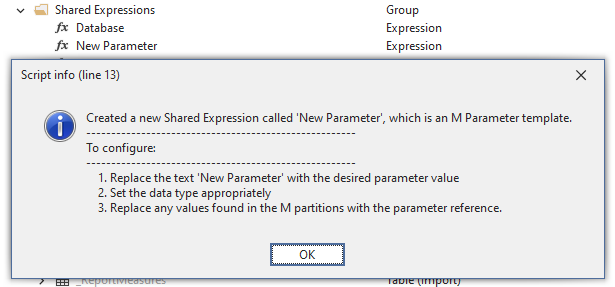
// Provides an output informing how to configure and use the parameter
Info (
    "Created a new Shared Expression called 'New Parameter', which is an M Parameter template." +
    "\n------------------------------------------------------\n" +
    "To configure:" +
    "\n------------------------------------------------------\n    " +
    "1. Replace the text 'New Parameter' with the desired parameter value\n    " +
    "2. Set the data type appropriately\n    " +
    "3. Replace any values found in the M partitions with the parameter reference." );
说明
此代码片段会在“共享表达式”中创建一个新的 M 参数,并可在 M 分区的 Power Query 中引用。
输出示例