显示数据源依赖项
脚本用途
此脚本会输出引用所选显式(旧版)数据源的表。 这将更容易确定所选数据源的使用位置。
脚本
显示数据源依赖项
//此脚本会输出引用所选显式(旧版)数据源的表。
if (Model.DataSources.Count == 0)
{
    Info("此模型不包含任何数据源;它可能是空模型,或使用的是隐式数据源");
    return;
}
// 检查是否已选择数据源
DataSource selectedDatasource = null;

if (Selected.DataSources.Count == 1)
    selectedDatasource = Selected.DataSource;
else
    selectedDatasource = SelectObject<DataSource>(Model.DataSources, null, "选择要查看其依赖关系的数据源");

// 旧版数据源
var legacyTables = Model.Tables.Where(t => t.Source == selectedDatasource.Name).ToList();

// M 数据源
var mTables = Model.Tables.Where(t => t.Partitions.Any(p => p.Expression.Contains($"= #\"{selectedDatasource.Name}\","))).ToList();

// 合并列表
var allTables = legacyTables.Union(mTables).OrderBy(t => t.Name);

// 展示结果
var tableString = string.Join("\r\n", allTables.Select(t => t.Name));
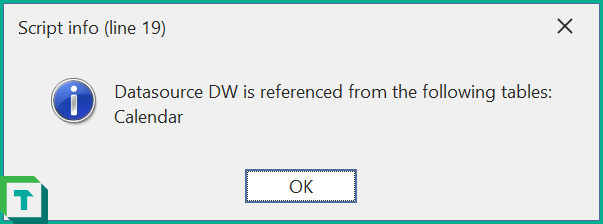
Info($"数据源 {selectedDatasource.Name} 被以下表引用:\r\n" + tableString);
说明
此代码片段会获取所选数据源,并遍历模型,找出使用该数据源的分区。
示例输出